The starting point
A QR code should not fail after it has gone to print.
When a dynamic QR code depends on a third-party redirect, the printed square may be fine while the service behind it stops working. That is a particularly painful problem for brochures, signs and packaging: the physical item cannot simply be edited.
We wanted a free way to make a static QR code that carries its destination in the artwork itself. It should be easy to check, export and pass to a designer without requiring an account or a hosted redirect. The destination still needs to stay live, so the tool encourages people to choose and test a stable URL before a print run.
The product
Built for the point where digital meets print.
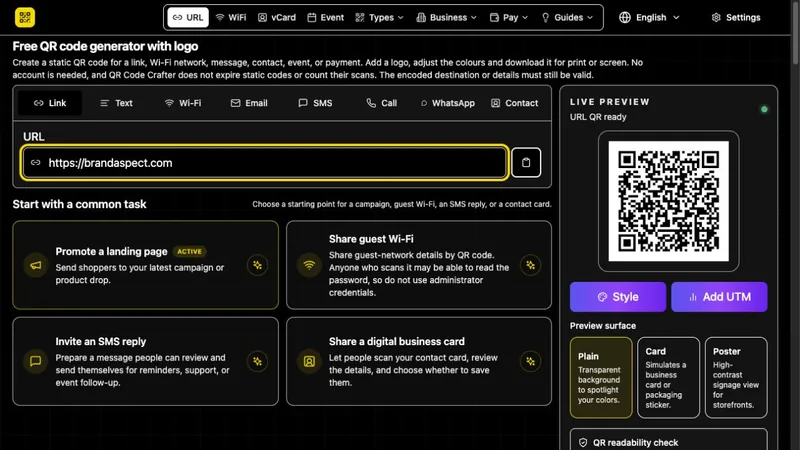
QR Code Crafter makes codes for links, contact details, Wi-Fi and other common tasks. Users can preview the result, adjust colours and the clear border around the code, then download SVG, PDF or EPS artwork for print, alongside image formats for screens.
The product also includes optional editable QR redirects for jobs where changing the destination later matters. Those codes depend on QR Code Crafter hosting; the free static route remains the straightforward choice when that dependency is unwelcome.
Beyond the browser
Useful to people in many languages, and to agents too.
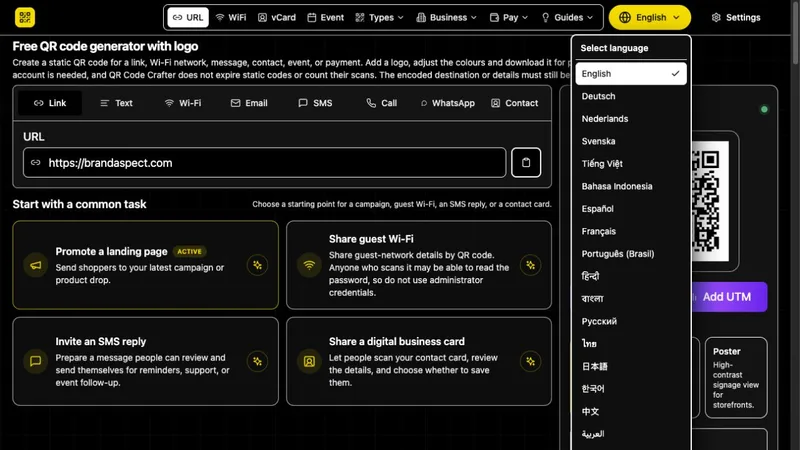
The interface and guides are multilingual, rather than treating translation as an afterthought. That helps someone make and check a code in the language they are comfortable using.
An AI assistant can also use the QR tools through WebMCP, a connection that lets it carry out tasks on the website. It can prepare codes, check what the exported files contain and return a list of files for the print job. The final printed code still needs to be tested.